
After EventGuyZ meets with you, your event goes into the PENDING status which simply means your date is awaiting the Deposit to be made and the Contract signed. You receive an email with your password to log into the client portal
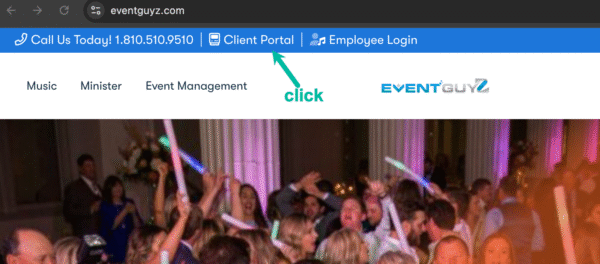
Anytime you want to access details about your event you simply navigate to https://EventGuyZ.com and click Client Portal
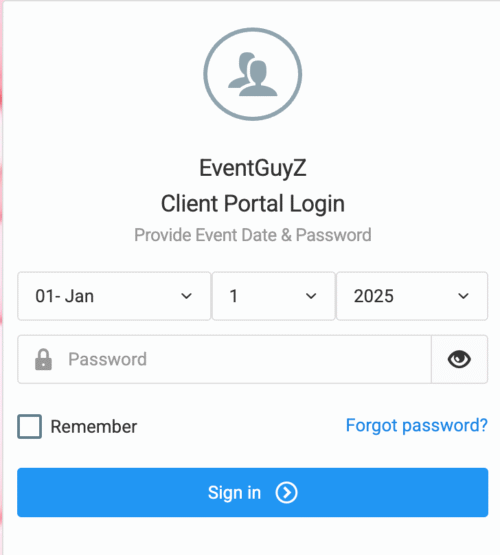
Simply Login with your Event Date and the Password provided in the email we sent you.
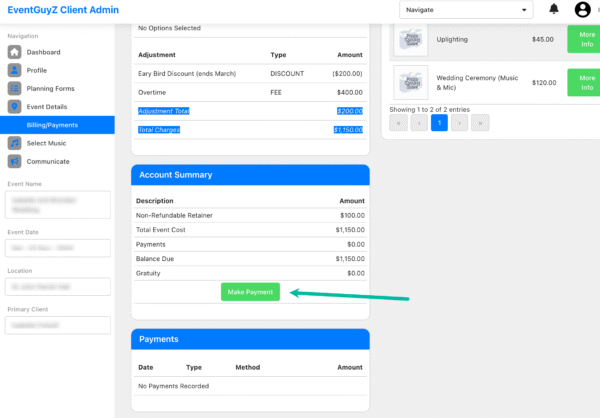
Next, to pay your deposit click in the menu on the left “Billing/Payments” and you will see Make Payment button that will connect you to secure payment processing.
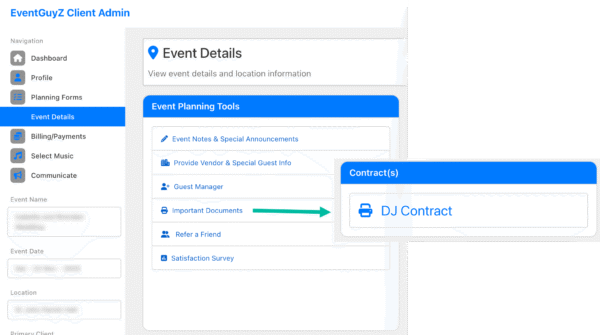
Finally to sign the contract, on the left click “Event Details” and then click “Important Documents” where you will see DJ/Contract option. Simply click on that, read through it and if you agree at the bottom you can sign electronically that you accept our terms.
Then you can relax as your DJ is now booked for your event date.


